Google Ads for ecommerce is a way to show your products to people who are searching for them, or browsing Google's surfaces, and pay when they click. For most online stores the sensible starting point is a clean product feed in Google Merchant Center, working conversion tracking, and one Shopping or Performance Max campaign for your best products, with a small brand search campaign beside it. Set the budget from your margin, not from a round number.

Which Google Ads campaign types matter for an online store?
| Campaign type | What Google says it does | Where it fits |
|---|---|---|
| Shopping | Organises and promotes your Merchant Center product inventory, with ads that show a photo, title and price. Charged per click | Product-led stores with a clean feed |
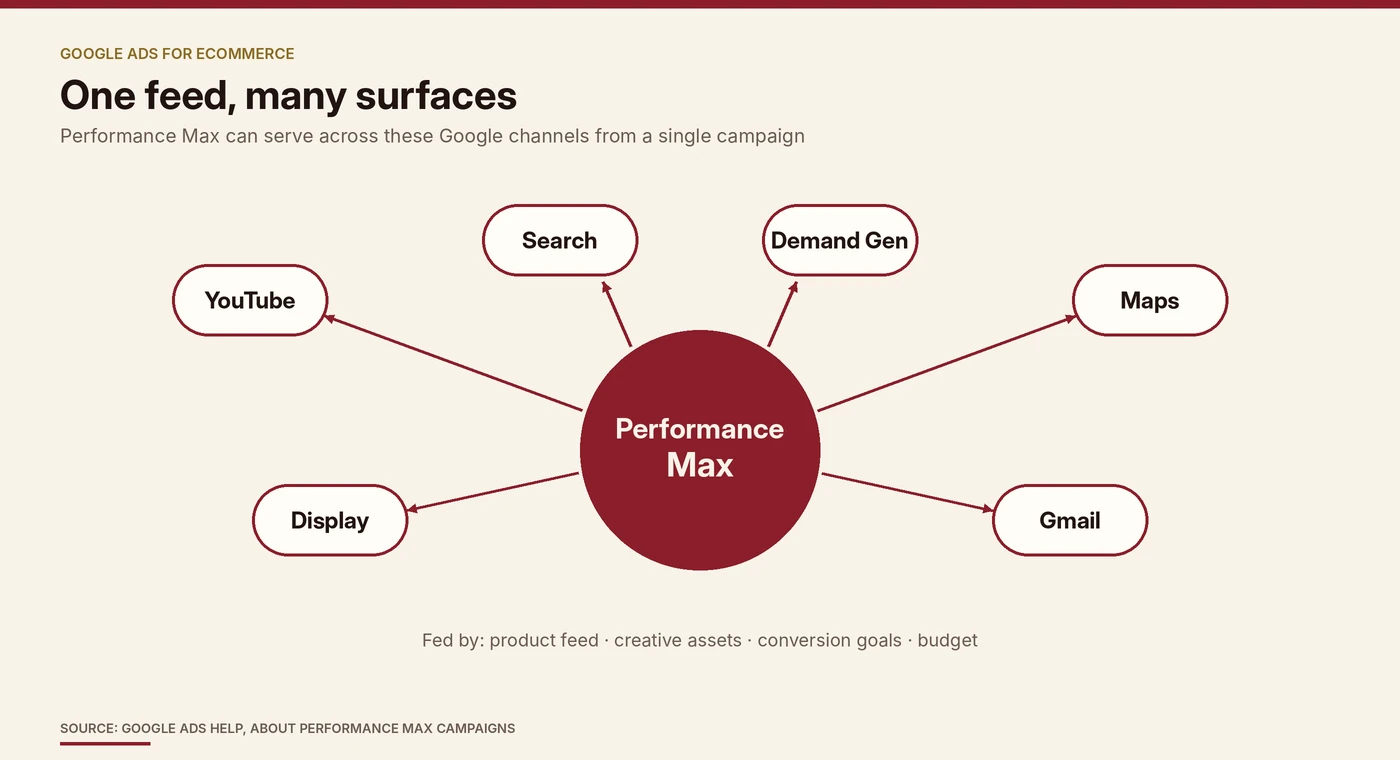
| Performance Max | A goal-based campaign type using your budget, product feed, creative assets and conversion goals, serving across YouTube, Display, Search, Demand Gen, Gmail and Maps | Scaling once feed and tracking work |
| Search | Text ads against keyword searches. Google describes Performance Max as designed to work alongside keyword-based Search campaigns | Brand and high-intent keywords |
| Video and Demand Gen | Formats for reach and consideration | Add once the basics earn their keep |
What do you need before you spend anything?
-
A clean product feed in Merchant Center
Google's product data specification says accurate, correctly formatted product data is essential for successful ads and free listings. Required attributes include a unique ID, title, description, link, image link, price and availability.
-
Prices, availability and titles that match your landing pages
Google says price and availability must match the landing page, and an incorrect GTIN will get a product disapproved, so never guess identifiers.
-
Conversion tracking that you have tested
Performance Max and Smart Bidding optimise toward the conversion actions you define, so wrong tracking sends the system after the wrong target.
-
Your margin numbers
Product cost, shipping, fees and returns, so you know your breakeven ROAS.
-
A landing page and checkout that work well on mobile
Many shoppers browse on their phones.
How do you set budget from margin?
Work backwards from contribution margin. Breakeven ROAS is 1 divided by your contribution margin before ad spend.
Illustrative example, not real client data: a 40% contribution margin gives 1 ÷ 0.40 = 2.5.
- INR 1,200 Order value Illustrative order, not client data
- INR 480 Contribution 40% left after product cost, shipping, fees and returns
- 2.5 Breakeven ROAS Below this, ads lose money
- INR 180 Profit per order at ROAS 4 Before overheads
- Allowable cost per order at breakeven equals your contribution per order, INR 480 in the example.
- Monthly budget is roughly target orders multiplied by the cost per order you can afford. For 300 orders at INR 300 each, that is INR 90,000.
- Start lower than your ceiling and raise spend as results confirm the numbers.
Our post on ROAS vs ROI explains why a healthy-looking ROAS can still lose money and how to find your own breakeven.
What does a sensible first 60 days look like?
-
Days 1 to 14
Fix the feed, verify conversion tracking, and launch one Shopping or Performance Max campaign for a small set of best-selling, well-stocked products, plus a brand search campaign.
-
Days 15 to 45
Let the campaigns gather data and avoid constant changes. Review product-level results, search terms and which products or assets spend without selling. Add stronger images, videos and text to Performance Max asset groups.
-
Days 46 to 60
Compare results with your breakeven ROAS. Put more budget behind what clears it, remove or fix products that do not, and consider adding non-brand search or video if the data supports it.
How should you treat brand and non-brand search?
Brand search
- People already know you, so those clicks tend to convert more easily
- Blended in, they make overall ROAS look better than your prospecting really is
Non-brand search
- Reaches people who are still choosing
- Shows how well you win customers who did not know you
- Judge it against your breakeven ROAS
Report brand and non-brand results separately, and check what your Performance Max campaign is picking up, since it can serve on Search among other channels.
What are the common mistakes?
What should you measure?
Related reading: performance marketing: a guide for businesses covers how paid channels fit together. Our post on customer acquisition cost shows how to work out what a new customer costs you across channels. For help planning and running paid campaigns, see our performance marketing and customer acquisition service .
The takeaway
Sources
Google Ads Help, About Shopping ads (read October 2026).
Google Ads Help, About Performance Max campaigns (read October 2026).
Google Merchant Center Help, Product data specification (read October 2026).
Photo credit: Firmbee.com on Unsplash . Diagrams by Encompass Ideas.